
Mon-Yu Development
I talk about the asset pipeline and other challenges involved with Localization!
2/10/20259 min read
One of my biggest projects at Poppy Works, is"Mon-Yu: Defeat Monsters And Gain Strong Weapons And Armor. You May Be Defeated, But Don't Give Up. Become Stronger. I Believe There Will Be A Day When The Heroes Defeat The Devil King" ...or "Mon-Yu" for short. In fact, the very long title got recognition from Nintendo Life as Nintendo Life's Most Long-Winded Switch Game Title 2023, so I can say: one of my biggest projects at Poppy Works is the AWARD WINNING game, "Mon-Yu".
Localization Pipeline
For this title, I was handed the reins at the start after my work with "Undernauts: the Labyrinth of Yomi", which was another title published by Aksys Games. This time around, I got the task of creating a more streamlined pipeline of importing localization given to us by Aksys into the Unity project, including any edits to said localization. There were a couple steps to this rather large task: creating a spreadsheet for the localization team to fill out, and creating something that Unity can digest.
I recalled my previous experience at Intelligence, Communications, and Engineering Inc. when I had a similar task of reading data from a spreadsheet and writing out an XML file, a task I did in Java; so I decided to make a new Java program as the middle-man of this localization pipeline. Now, being an RPG there is quite a lot to localize between dialogue, characters, weapons, etc, and all this data was separated into many Unity assets, roughly 109 files actually. Each of these files could contain multiple strings for each "item" of data, for example weapons having both names and descriptions. Luckily, there was a common pattern: after every attribute there was a (currently blank) English sub attribute, then a Japanese sub attribute. Here is an example of what the Strength record looked like in the Attribute asset:
- id: 0
name:
english: ""
japanese: "\u8155\u529B"
description:
english: ""
japanese: "\u8155\u529B\n\u653B\u6483\u529B\u3068\u3000\u547D\u4E2D\u7387\u304C\u4E0A\u304C\u308B"
Given this pattern, I decided that for every Asset file, I would make a new sheet in the exported workbook, and for every Japanese/English pair, I would make a separate table in that sheet. Here is the sheet generated from the AttributeDataTable.asset file.

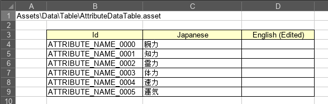
As you can see (you might have to click on the image if viewing from mobile), I have the filename in the top left to help me with the later import. Then I constructed the IDs with the name of the file (minus DataTable), plus the name of the attribute, plus the ID number. The Java program I wrote did this for all the files underneath the Assets\Data\Table path, resulting in a workbook with over 100 sheets. This workbook was then uploaded to our Google Drive for the Localization team to work through. Once their team made significant enough progress, they would let us know to pull down the file and import all new text. Importing was rather simple after doing the export, but this time in reverse! If there were any blanks in the English cells, I would instead print the ID name in angle brackets instead of an empty string. That way we can debug in-game which strings are still missing, and that any empty text displayed was not a bug.
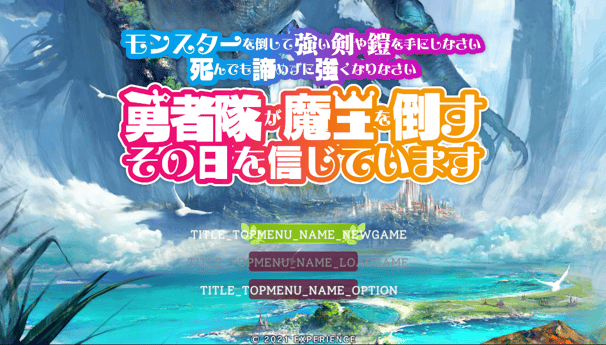
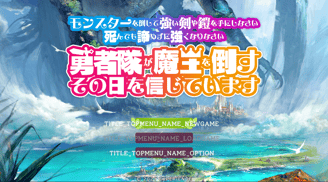
And eventually we end up with a game fully translated and without having to jump into game files! Just download a spreadsheet, and run it through my Java program!
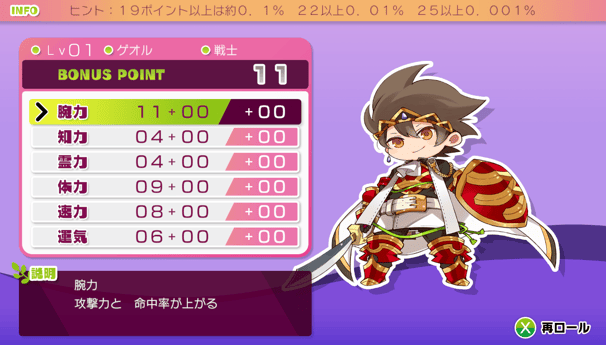
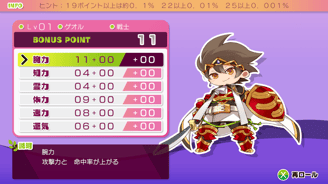
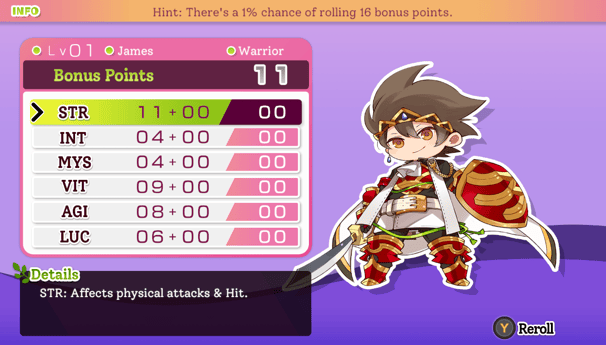
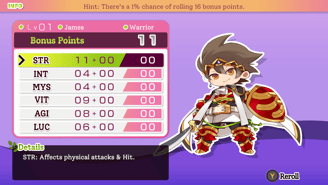
Of course, making a localized port isn't simply just replacing text. It also requires resizing, reposition, and other creative solutions...
Making Things Fit
A large portion of any localization is making text fit into their respective places. Going from Japanese to English is particularly difficult as English words are physically longer than Japanese characters. One specific problem in this project was displaying the stats of a weapon, any additional effects a weapon may have, and its description with very little real estate to work with. Take a look at these screenshots below of the original Japanese text, and then the simple English replacement.
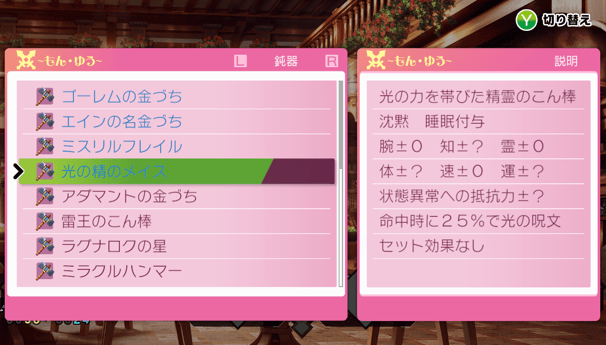
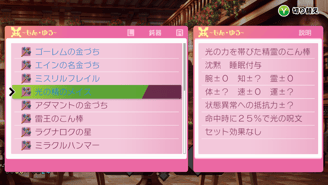
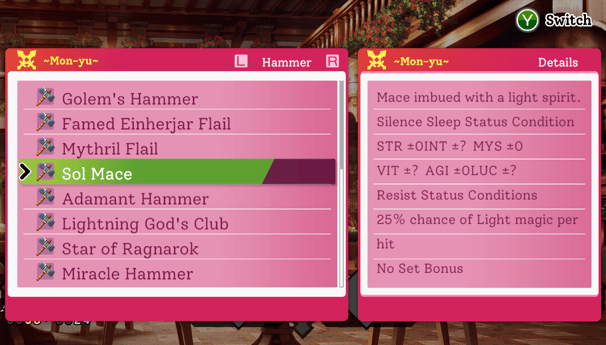
Now as you can see, there is some rearrangement and aligning to do with the stats at least. However, there are a few
Ultimately what I settled on was moving the Set Bonus to its own page... to buy us an extra line of text for the weapon description.
other problems that can (spoilers: and will) arise. Let's start with that first line, which is the description of the weapon, Sol Mace. It's a rather brief description, but what if there are weapons with longer descriptions? Perhaps those descriptions can't really be shortened any more by the localization team to make it fit on one line. Same problem with Additional Effects (the 25% chance of Light magic per hit), as
well as the Set Bonus (any bonuses applied when specific equipment is equipped). My first attempt at remedying this
was to simply calculate and adjust the size of the text to fit on one line. Unfortunately that made the text illegible at times,
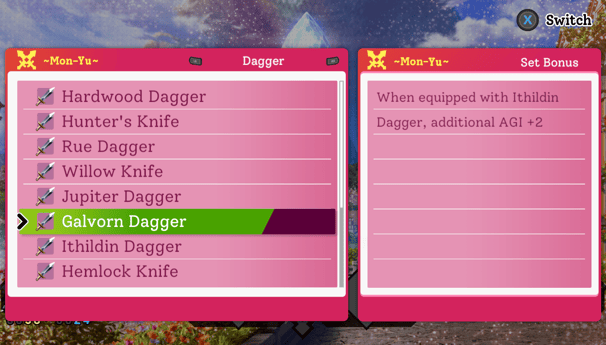
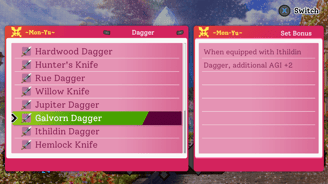
plus having a different font size than the rest of the weapon's data just looked awkward. Ultimately what I settled on was moving the Set Bonus to its own page (pressing the Switch button as noted contextually in the top-right changes what is displayed in the Details window), to buy us an extra line of text for the weapon description. Below is a screenshot of the Set Bonus of the Galvorn Dagger as a
demonstration on what you could see for a weapon that DOES have a Set Bonus.
Now as you can see, there is some rearrangement and aligning to do with the stats at least. However, there are a few other problems that can (spoilers: and will) arise. Let's start with that first line, which is the description of the weapon, Sol Mace. It's a rather brief description, but what if there are weapons with longer descriptions? Perhaps those descriptions can't really be shortened any more by the localization team to make it fit on one line. Same problem with Additional Effects (the 25% chance of Light magic per hit), as well as the Set Bonus (any bonuses applied when specific equipment is equipped). My first attempt at remedying this was to simply calculate and adjust the size of the text to fit on one line. Unfortunately that made the text illegible at times, plus having a different font size than the rest of the weapon's data just looked awkward. Ultimately what I settled on was moving the Set Bonus to its own page (pressing the Switch button as noted contextually in the top-right changes what is displayed in the Details window), to buy us an extra line of text for the weapon description. Below is a screenshot of the Set Bonus of the Galvorn Dagger as a demonstration on what you could see for a weapon that DOES have a Set Bonus.
The second issue I was facing was the Status Conditions. Weapons could have any number of status conditions, up to seven. As you can see, we're just barely hanging on with just two: Silence and Sleep. My very first thought was that I could
Weirder still, checking the some of the weapon data, these conditions are not a boolean, they are an integer of zero, one, or two.
eliminate the Status Condition text as that is redundant and buy me some room. Unfortunately having JUST "Silence Sleep" does not really give the player much information, and again, I am banking on not having too many status conditions. Eventually I got to thinking, "well how are these conditions represented in battle?"
Well I'm glad I asked, because it turns out that they use icons!Better still, there were both on/off icons for all six of these status conditions! So let me go in and insert these images into the... rich... text... wait, did I just say there were ONLY SIX
conditions? I compare battle conditions to weapon conditions, and turns out, there's one extra: Instant Death, which is actually an automatic one-hit kill if it triggers. Weirder still, checking the some of the weapon data, these
conditions are not a boolean, they are an integer of zero, one, or two. HUH. After looking through code, I discover what this attribute actually means. A zero means that this weapon cannot deliver this status condition, naturally. A one means that upon acquiring this weapon, it is guaranteed to have the ability to deliver
the status condition. A two means that the weapon has a possibility of having this status condition ability, but not always. So we also faced an issue of delivering incomplete information to the player.
The second issue I was facing was the Status Conditions. Weapons could have any number of status conditions, up to seven. As you can see, we're just barely hanging on with just two: Silence and Sleep. My very first thought was that I could eliminate the Status Condition text as that is redundant and buy me some room. Unfortunately having JUST "Silence Sleep" does not really give the player much information, and again, I am banking on not having too many status conditions. Eventually I got to thinking, "well how are these conditions represented in battle?" Well I'm glad I asked, because it turns out that they use icons! Better still, there were both on/off icons for all six of these status conditions! So let me go in and insert these images into the... rich... text... wait, did I just say there were only SIX conditions? I compare battle conditions to weapon conditions, and turns out, there's one extra: Instant Death, which is actually an automatic one-hit kill if it triggers. Weirder still, checking the some of the weapon data, these conditions are not a boolean, they are an integer of zero, one, or two. HUH. After looking through code, I discover what this attribute actually means. A zero means that this weapon cannot deliver this status condition, naturally. A one means that upon acquiring this weapon, it is guaranteed to have the ability to deliver the status condition. A two means that the weapon has a possibility of having this status condition ability, but not always. So we also faced an issue of delivering incomplete information to the player.
So first thing's first, I needed a way to represent this formerly unknown status condition, Instant Death. I got with one of our studio's artists, Tia Rohrer, and brainstormed up an icon that fits in with the theme of the game and more importantly, with the rest of the status icons. Luckily, Tia was already familiar with the project having worked on a few other assets for it. She whipped up a cute skull with X eyes, perfect! Now onto the next part of the problem, how do I tell the player what is guaranteed, and what is a random chance? After exploring the data, and the classes that weapons ultimately serialize into, I discover an Enum that just so happens to have an EnumLabel with a single unicode character representing if it has the status condition, it has it randomly, or not at all; a circle, a triangle, and an X respectively. With my new icon and knowledge, I get to work, and this is the final result:
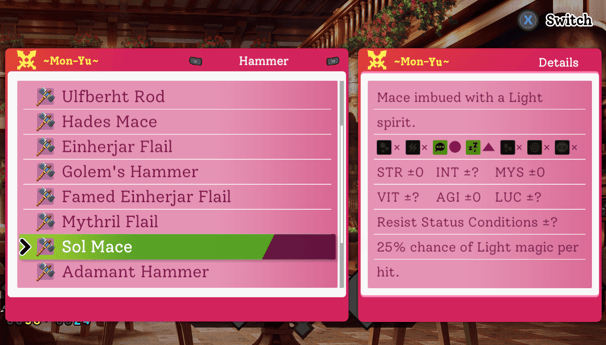
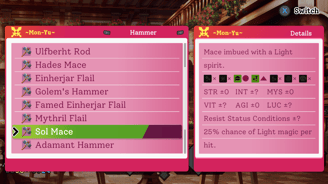
So now we finally have all the data fitting nicely, and also telling the player all relevant information. In the case of Sol Mace, every instance has the ability to Silence, while also having a chance for Sleep as well! Having those symbols next to each status icon is such a blessing too as it helps with accessibility, not just relying on the different colors.
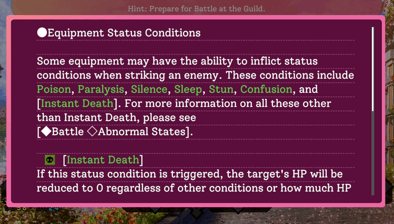
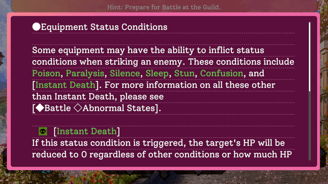
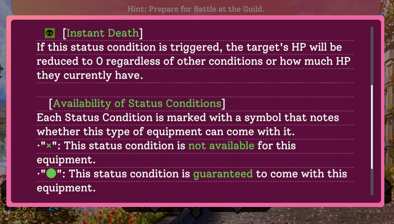
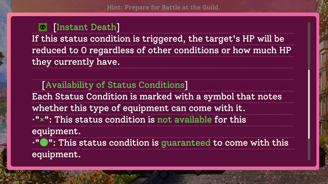
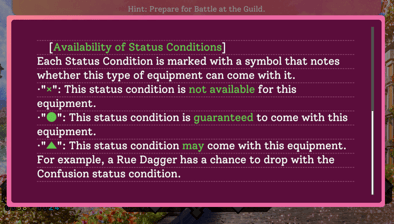
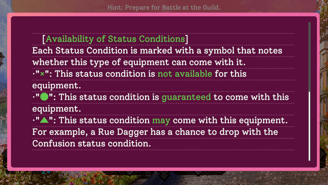
The game also has an in-game glossary. Since a new icon and symbology was added, I took it upon myself to add an additional page:
In Conclusion...
Mon-Yu was a very fun project to work on, and probably one that will remain dear to my heart for a long time! It was my first project where I really got to flex my muscles not only as a programmer, and gained experience as a problem solver. It was also an opportunity to think back on my start professionally, and how I was able to bring my skills as a Java developer and thread it seamlessly into a pipeline for game development.